 KleanTalk
KleanTalk
맥 카카오톡 광고 자리를 카카오톡과 같은 색의 빈 공간으로Turns the KakaoTalk for Mac ad slot into empty space in its own colors
KleanTalk 받기Download KleanTalk GitHub · 설치 안내는 아래에Install guide below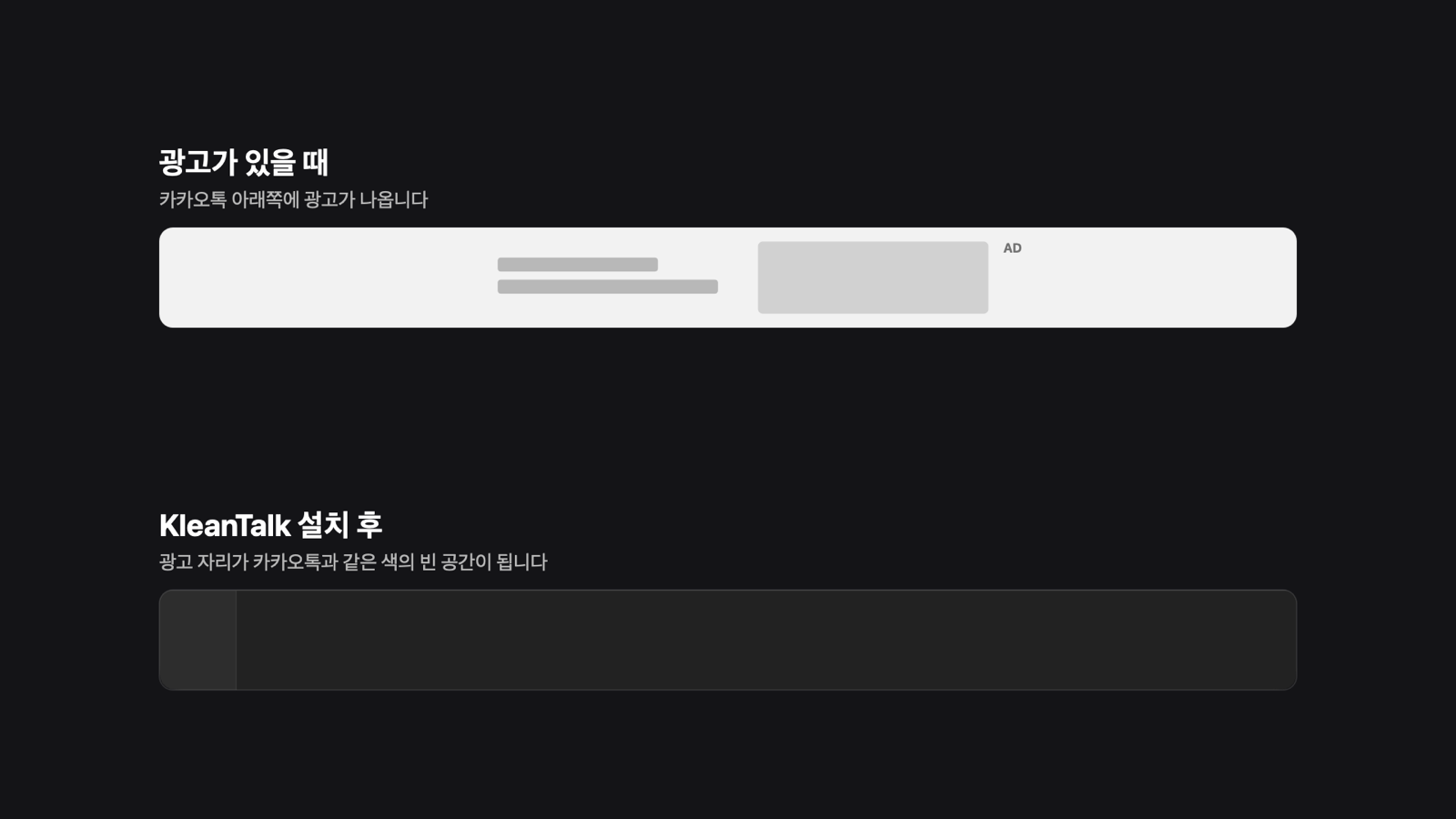
특징Highlights
카카오톡을 고치지 않습니다KakaoTalk stays untouched
카카오톡 앱 파일을 고치거나 다시 서명하지 않고, 대화 내용과 설정에도 손대지 않습니다. 카카오톡을 업데이트해도 그대로 동작합니다.It doesn't patch or re-sign the KakaoTalk app, and doesn't touch your chats or settings. It keeps working after KakaoTalk updates.
홍보 배너도 없이No promo banner either
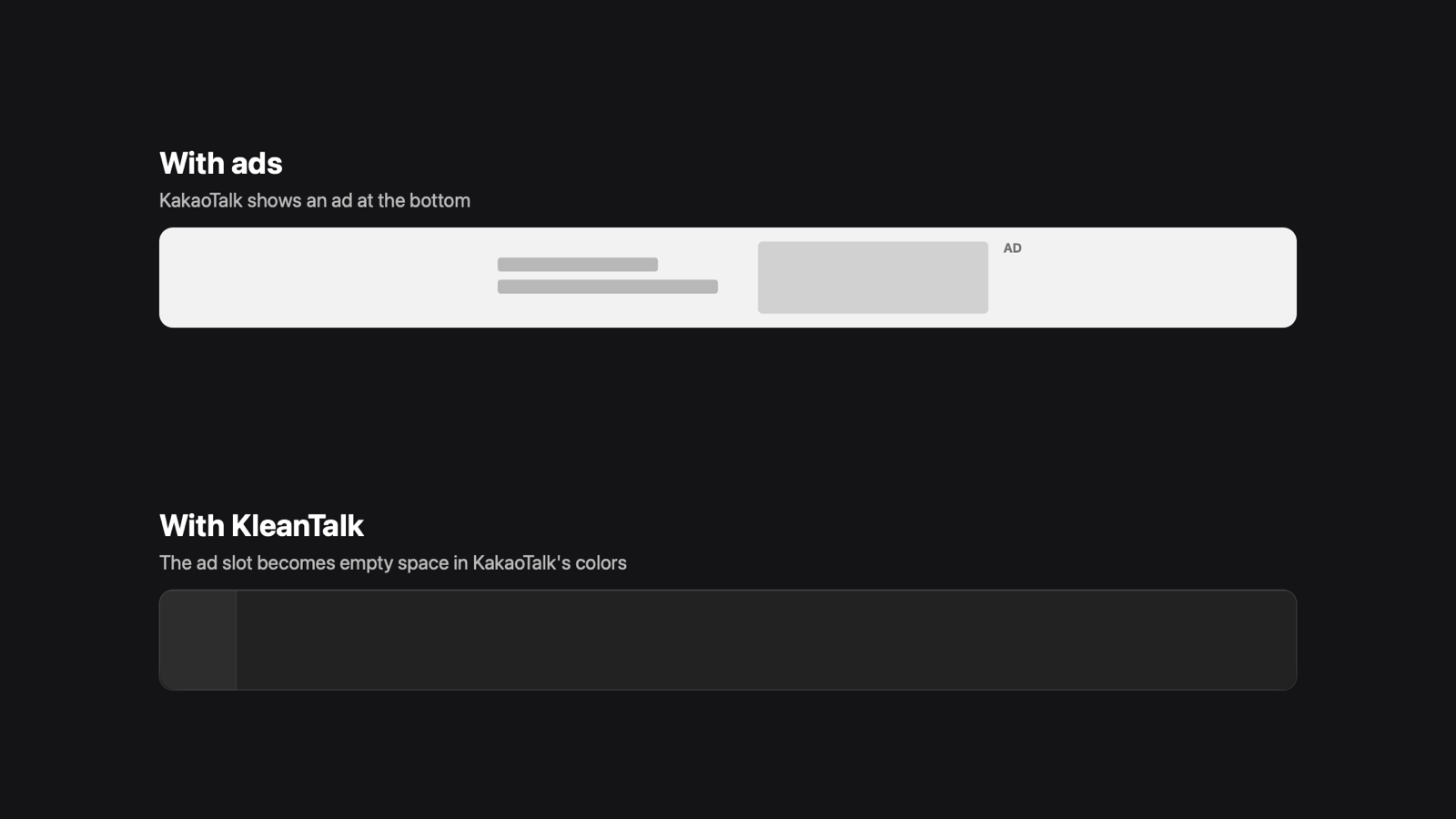
광고 주소만 막으면 그 자리에 홍보 배너가 뜹니다. KleanTalk은 광고 자리를 창과 같은 색으로 비워 둡니다.Blocking ad domains alone brings up a promo banner. KleanTalk leaves the slot empty in the window's own colors.
설치하면 끝Install once
켜고 끄는 설정이 없습니다. 제거 버튼 하나로 모든 것이 원래대로 돌아갑니다.No switches to manage. One Uninstall button puts everything back.
설치Install
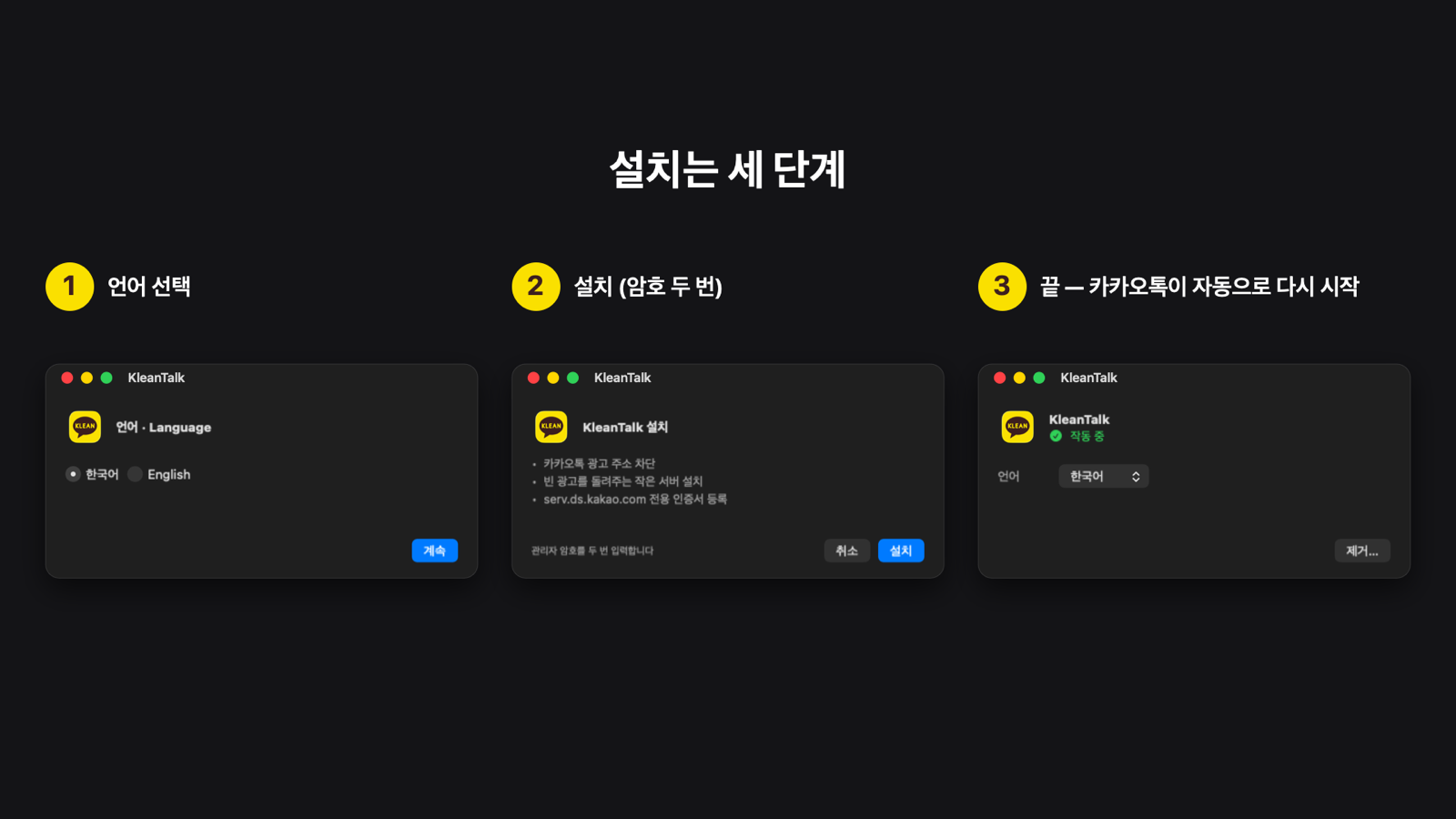
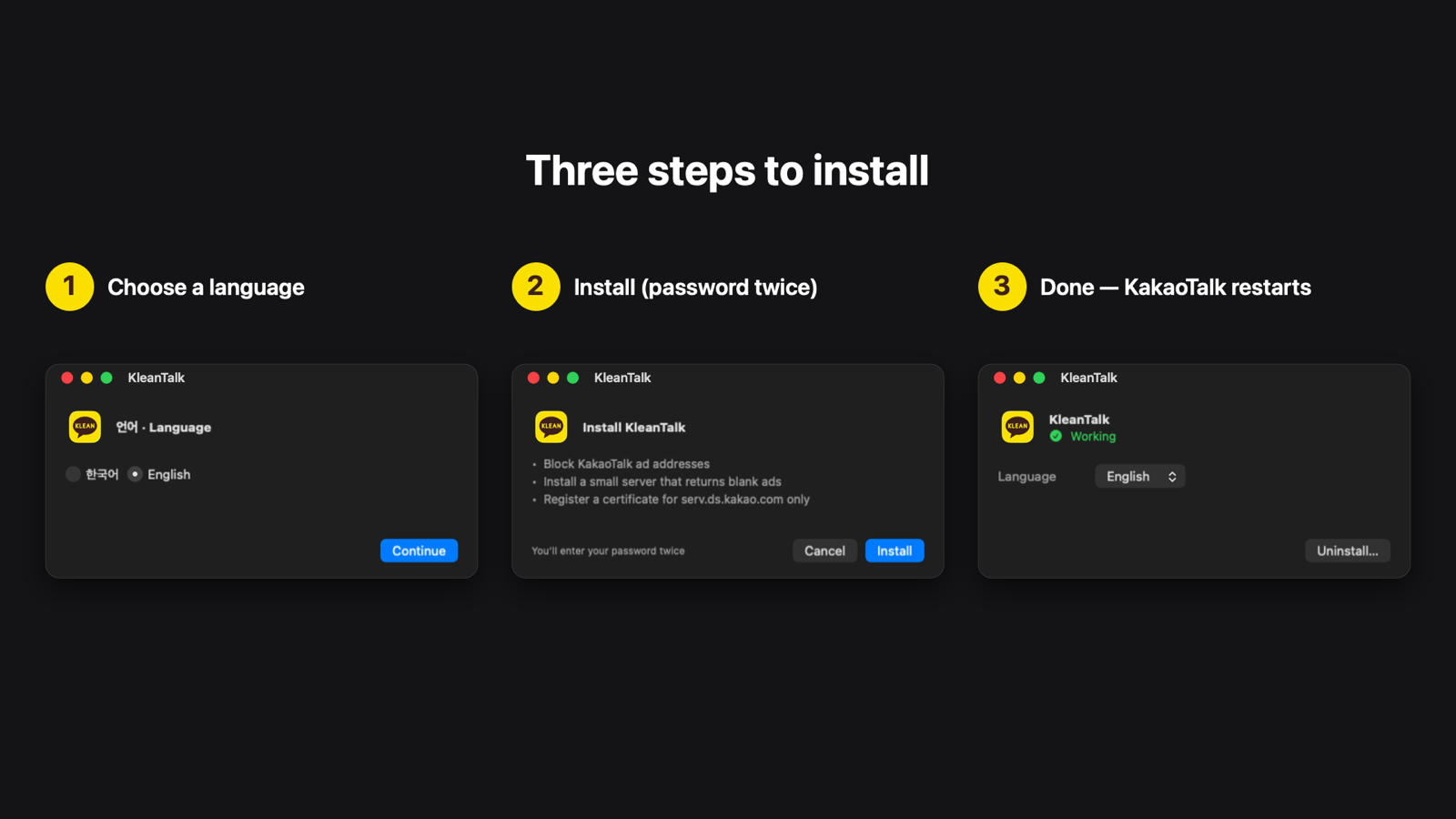
- KleanTalk.dmg를 받아 앱을 응용 프로그램 폴더로 옮깁니다.Download KleanTalk.dmg and move the app to Applications.
- 앱을 열고 언어를 고른 뒤 설치를 누릅니다. 암호를 두 번 묻습니다(관리자 설치, 인증서 신뢰 확인).Open it, choose a language, and click Install. You'll enter your password twice (administrator install, certificate-trust confirmation).
- 카카오톡이 자동으로 다시 시작되면 끝입니다.KakaoTalk restarts automatically, and you're done.
처음 열 때 "Apple은 악성 코드가 없는지 확인할 수 없습니다" 경고가 뜨면, 시스템 설정 → 개인정보 보호 및 보안 아래쪽의 그래도 열기를 누르세요. Apple 공증을 받지 않은 개인 앱이라 뜨는 경고입니다.If macOS says it can't verify the app on first launch, click Open Anyway in System Settings → Privacy & Security. The warning appears because this personal project isn't notarized by Apple.
어떻게 동작하나요How it works
1
hosts에서 카카오 광고 주소를 막습니다.Blocks Kakao's ad domains in /etc/hosts.
2
광고를 받아 오는 주소(serv.ds.kakao.com)만 맥 안의 작은 서버로 돌립니다.Points serv.ds.kakao.com at a tiny server on your Mac.
3
그 서버가 진짜 광고와 같은 형식의 빈 광고를 돌려주고, 카카오톡은 이를 정상 광고로 받아들입니다. 진짜 광고 서버에는 연결하지 않습니다.That server answers with a well-formed blank ad, which KakaoTalk accepts. Nothing is fetched from the real ad server.
보안Security
- 인증서는
serv.ds.kakao.com한 주소에만 쓸 수 있는 일반 인증서이고, 내 계정에서 그 주소의 HTTPS에만 신뢰합니다.The certificate is a non-CA leaf forserv.ds.kakao.comonly, trusted for that hostname's HTTPS in your account only. - 키는 관리자만 읽을 수 있고, 서버는 권한 없는 계정(nobody)으로 이 맥 안의 전용 주소에서만 받습니다.Its key is readable by root only; the server runs as
nobodyand listens only on a dedicated loopback address. - 소스는 모두 공개되어 있습니다(MIT).All source code is public (MIT).